
Genie 3.2: Your AI agent, docked in FileMaker
Genie now lives inside Layout mode and Script Workspace, and builds scripts, layouts, tables, fields, table occurrences, relationships and data in your file. Two full sessions show it on a real invoicing solution.
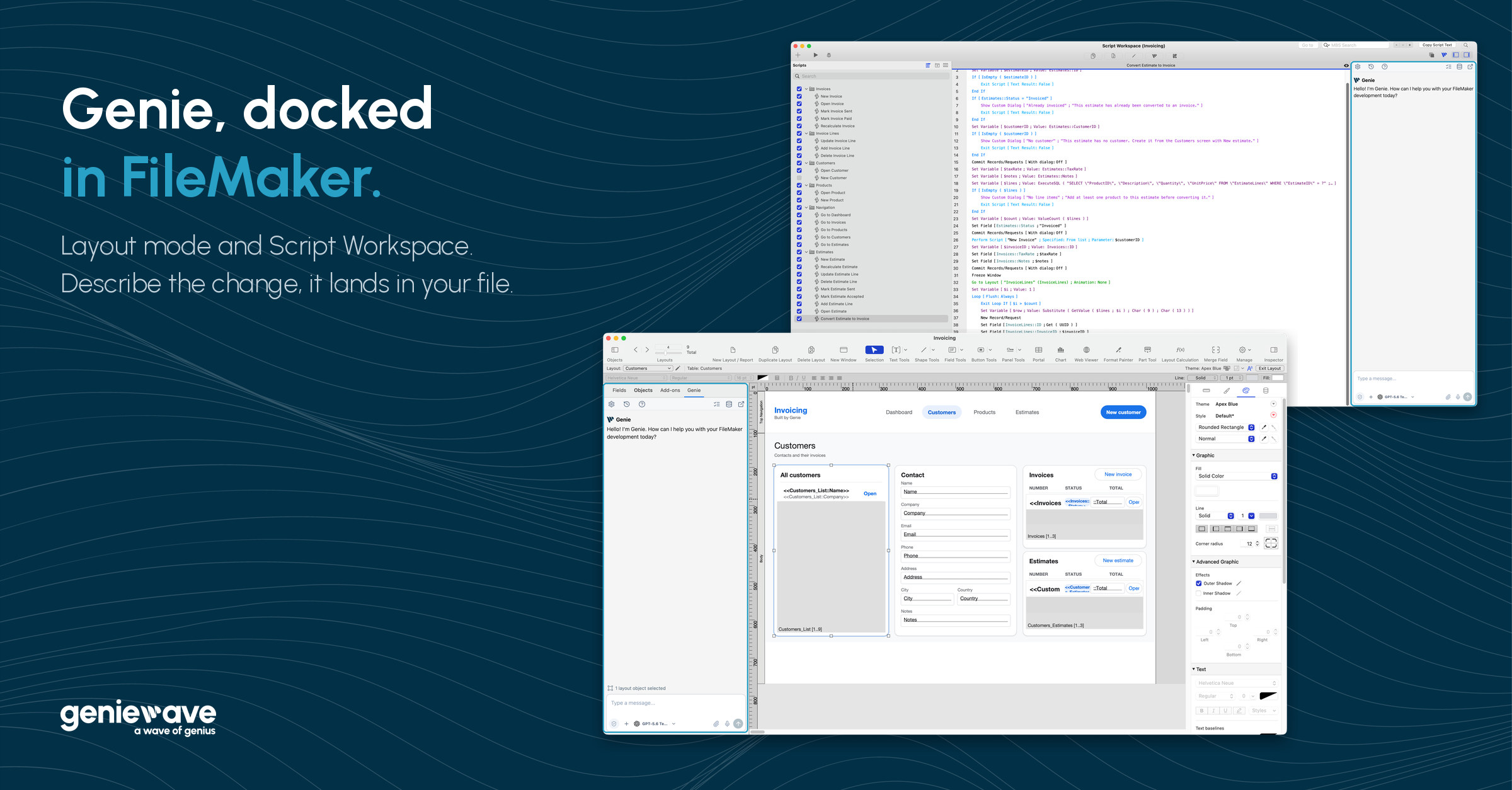
Genie docked in FileMaker: a tab in Layout mode and a panel in Script Workspace.
For the last year, using AI with FileMaker has mostly meant the same thing: the tool hands you a snippet, then it’s on you to paste it, rebuild the relationships and check that nothing broke.
Genie 3.2 changes where Genie works. It now lives inside FileMaker, docked in Layout mode and Script Workspace. You describe what you want, and Genie builds it in your file.
Where Genie lives now
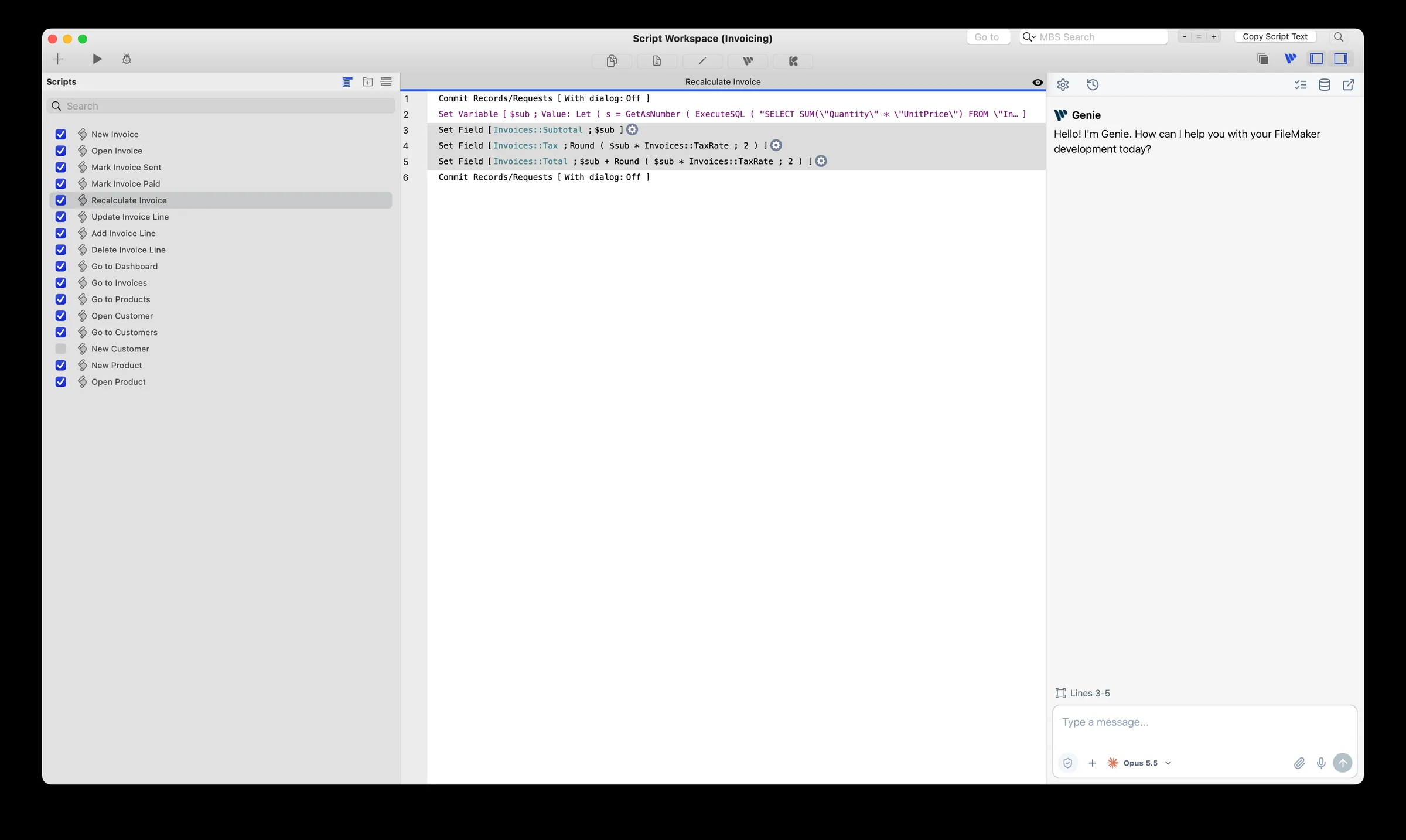
In Script Workspace. Genie is a panel docked on the right. The Genie button in the toolbar shows or hides it. Select a few lines, ask for the fix, and Genie writes the change into the script after a FileMaker confirmation. The script doesn’t need to be open.
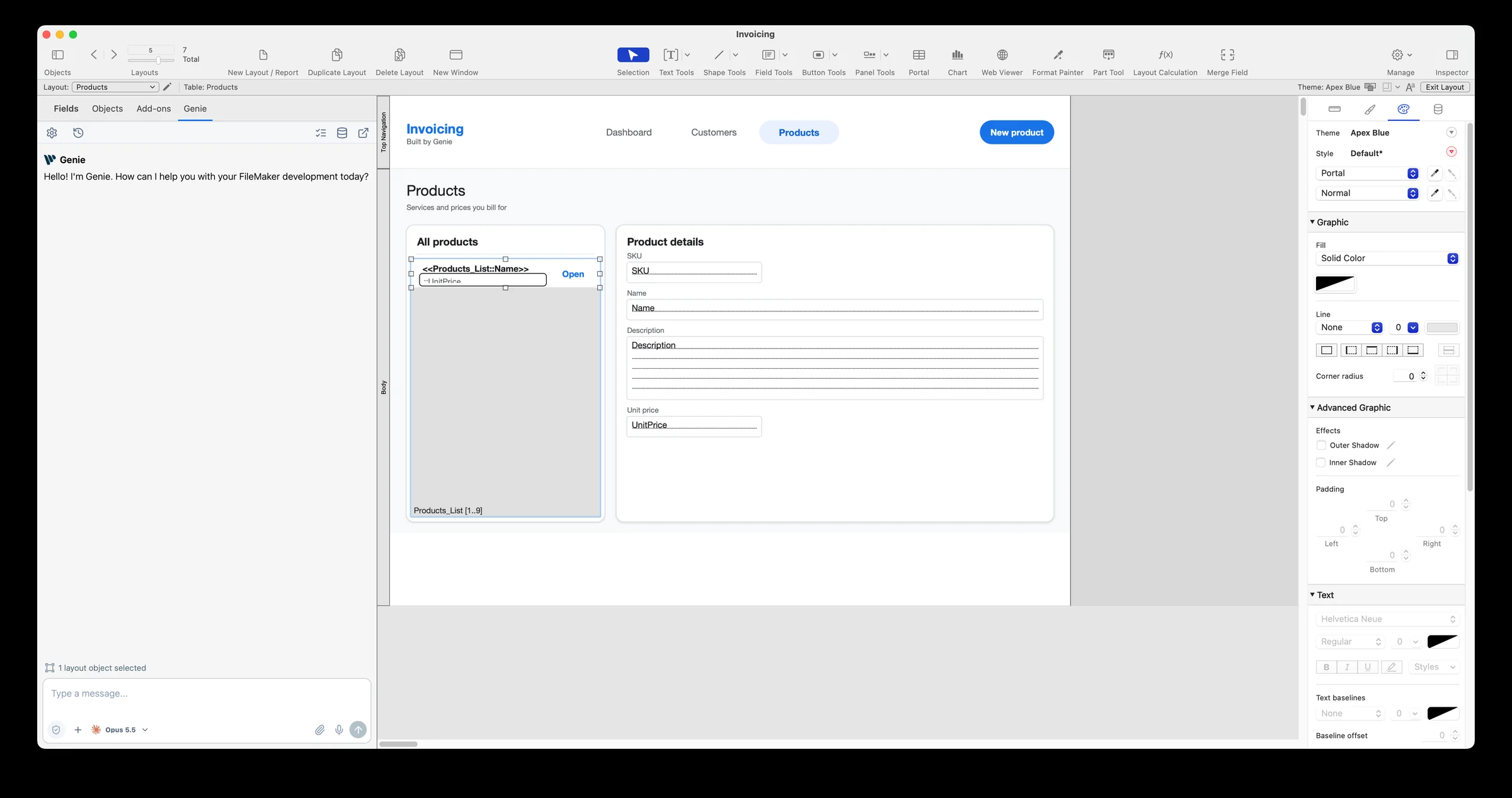
In Layout mode. Genie has its own tab, beside Fields, Objects and Add-ons. Select objects and ask for a focused change, or describe a new layout. The tab shows what you have selected.
One conversation. The pop-out button carries the same conversation, and your unsent draft, into the full Genie window.
What Genie builds in your file
With a paid plan, Genie writes directly into the open file, local or hosted:
- scripts: new ones, edits, and sorting them into folders;
- layouts: new layouts, new sections, and edits to the objects you select (position, colors, borders, fonts);
- tables and fields;
- table occurrences and relationships on the graph;
- data changes, and stored Web Viewer content.
The docked panels are on Mac. Genie for Windows has its own download.
A full session, start to finish
I recorded a real, unscripted session on an invoicing solution. I ask Genie to add estimates for my existing customers and products, then keep the conversation going.
Key moments
- 4:12 The request: estimates for existing customers and products
- 5:18 Two new tables that follow the file’s conventions
- 6:00 Table occurrences and relationships on the graph
- 8:24 The Estimate Detail layout, created and verified
- 8:54 The New Estimate script, written in Script Workspace
- 10:36 Genie asks a question before it builds
- 15:30 Scripts sorted into an Estimates folder
Not everything is perfect, and the video shows that too: FileMaker refuses one write because the layout had unsaved changes, and Genie asks me to save it before trying again.
You decide what lands in the file
By default, every change waits for your OK. You see what Genie prepared, then FileMaker asks you to confirm.
If you’d rather let it build, Auto apply is one setting. It’s off by default, and every change it makes is listed in Workbench › Submitted.
Edits to existing scripts and relationships can be undone from Workbench. New objects and data changes can’t, so try it on a copy first.
Privacy Mode, the shield in the composer, limits what Genie can read from your file.
Already working in Claude, Cursor or Codex?
Genie’s Local MCP gives your agent a live line into the open FileMaker file. In the second video, Claude picks up the estimates feature: it reads the file through Genie, finds a script pointing to a layout that no longer exists, then adds the scripts, an estimates list, navigation and a Convert to invoice button.
Key moments
- 1:18 The request, typed in Claude
- 3:30 Two problems found before anything is written
- 7:48 Estimate Detail rebuilt on the Invoice Detail model
- 12:12 Second request: Convert to invoice
- 17:30 Final test: the estimate becomes an invoice
Reading over Local MCP is free. Building from an external client needs a paid plan.
Free and Paid
Genie is free to download. The Free plan covers exploring and asking: inspecting the file, read-only questions about your data, help with calculations.
Paid adds building: scripts, layouts, tables, fields, table occurrences, relationships, data and Auto apply. It’s $59 USD per user per month, or $499 USD per year. You bring your own AI provider, with no markup on tokens. Until October 31, 2026, Genie is 20% off, and that price stays locked in for as long as you stay subscribed.
Get Genie 3.2
If Genie is already installed, it will offer the update. If not, download it, open a test file and start with one small request.